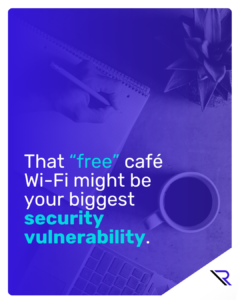
Click the image to view the guide.
Click the image to see full-size version.
A program director ducks into a coffee shop between site visits, opens a laptop, and connects to the free Wi-Fi. There’s a grant update due by end of day. A donor email needs a quick reply. A spreadsheet with participant details has to be cleaned up before the next meeting.
Nothing about that moment feels risky.
It feels responsible.
And yet, that “helpful” public network is one of the easiest places for attackers to intercept traffic, capture logins, and turn a routine workday into a weeks-long disruption. For nonprofits in Chicago, the damage isn’t just financial. It’s canceled services, delayed outreach, and staff forced into crisis mode when they should be doing mission work.
This guide is built for nonprofit leaders who want practical steps—not scare tactics. You’ll learn how to break the IT habits that quietly drain productivity, reduce the risk of Wi-Fi-driven compromises, and build a simple baseline your team can actually follow.
Why “Small” IT Habits Hit Nonprofits Hard
Most nonprofits don’t fail because people don’t care. They fail when time, attention, and energy get siphoned away by friction.
A slow laptop that takes five minutes to boot. A dropped connection during a virtual intake. An inbox full of suspicious messages that nobody has time to evaluate. A shared password because “only two people need it.” A file attachment forwarded again and again until nobody knows which version is right.
Each of these sounds minor—until you add them up.
In Chicagoland, many nonprofits operate lean by design. Teams wear multiple hats. Volunteers come and go. Vendors rotate. That’s normal. What isn’t normal is letting everyday workarounds become your security strategy.
Cyber criminals don’t need you to be reckless. They just need you to be busy.
The Bad-Habit Flywheel
Here’s the pattern most organizations don’t notice until it hurts:
Friction creates workarounds. Workarounds create exposure. Exposure creates disruption. Disruption creates more friction.
The flywheel is sneaky because it starts with good intent. A staff member wants to help a client faster. A manager wants onboarding to be painless. Someone wants to finish a task while commuting or between meetings. So the shortcut feels reasonable.
But shortcuts are how habits become vulnerabilities.
And in nonprofit work—where trust is central, data is sensitive, and downtime has human consequences—habit is everything.
If you’re operating anywhere in Greater Chicago, assume your staff will occasionally work from homes, shared spaces, partner sites, and yes, coffee shops. Your job isn’t to pretend that won’t happen.
Your job is to make it safe when it does.
The “Free Wi-Fi” Moment That Turns Into a Real Incident
Public Wi-Fi isn’t evil. It’s just uncontrolled.
On a shared network, attackers can set up look-alike hotspots, monitor traffic, or trick devices into connecting automatically. If your team logs into email or cloud tools without strong protections, a single captured credential can become the key to your entire operation.
And once attackers get into email, they don’t always strike immediately. They watch. They learn your language. They wait for the right moment—an invoice, a password reset, a donor conversation, an urgent request from leadership.
This is why “it was just Wi-Fi” isn’t a satisfying explanation after the fact.
The fix isn’t to ban remote work or shame people for getting coffee. The fix is to remove the conditions that make public connectivity a single point of failure.
If your staff sometimes works from places like the Loop, your controls should assume that reality—not fight it.
The Nonprofit Cyber Hygiene Baseline
You don’t need a gold-plated security program to reduce risk. You need a baseline that turns common failure points into predictable routines.
Think of the baseline as “boring on purpose.” Boring is good. Boring is repeatable. Repeatable is resilient.
1) Password discipline that doesn’t rely on memory
Weak or reused passwords are still one of the most common ways attackers get in. Not because people are careless—but because humans aren’t built to remember dozens of unique credentials.
A practical nonprofit standard looks like this: use a password manager, require unique passwords, and enable multi-factor authentication (MFA) wherever possible. If you do only one thing this quarter, do this. It’s the fastest way to reduce the impact of phishing, Wi-Fi interception, and credential reuse from unrelated breaches.
And make one rule non-negotiable: no shared logins. If “two people need access,” that’s a permissions problem—not a password problem.
2) Devices that are standard and maintained, not “whatever still works”
Old devices aren’t just slow. They create unpredictability—crashes, update failures, incompatible software, and security gaps. They also burn staff patience, which increases shortcut behavior.
A sane approach: set a simple device lifecycle (even if it’s modest), standardize what staff use for mission-critical tasks, and make patching routine instead of optional. If you can’t replace everything, prioritize the roles that handle the most sensitive data and the highest volume of communication.
Your goal isn’t “new.” It’s “reliable.”
3) Email and phishing resilience, because inboxes are the front door
Nonprofits live in email. Donor updates, partner coordination, casework scheduling, volunteer communication—it’s all there. Attackers know that, which is why phishing remains a constant pressure.
Training doesn’t need to be heavy. It needs to be consistent. Short monthly reminders, a simple “report suspicious email” process, and clear examples of what scams look like in your environment will outperform an annual one-time presentation every time.
The best training outcome isn’t fear. It’s muscle memory: pause, verify, and report.
4) Safe connectivity rules that match real life
Public Wi-Fi becomes far less dangerous when the rest of your posture is solid. MFA reduces the damage of stolen passwords. Password managers reduce reuse. Managed devices reduce exposure. And clear rules prevent the highest-risk behaviors.
A practical policy might be: don’t access sensitive systems over public Wi-Fi unless you’re using a secure method (like a trusted hotspot or VPN), and never log into financial tools, admin consoles, or donor databases from an unknown network without extra protections.
This doesn’t have to be perfect. It has to be clear.
5) File habits that prevent data from “drifting”
Data doesn’t leak only through hackers. It leaks through attachments, personal storage, and accidental sharing.
Standardize where files live. Use business-grade cloud storage with permissions and version control. Make it easier to link to a document than to forward it. Teach staff what “sensitive” means in your context—participant records, donor lists, HR files, financial details—and how those should be handled.
If your staff can’t find the right file quickly, they will create their own system. Your job is to make the right system the easiest system.
6) Backups and recovery readiness, because prevention isn’t the whole story
Even strong organizations get hit. The difference is what happens next.
Backups are only valuable if they’re reliable and tested. Build a recovery routine that answers three questions: what gets restored first, who owns the decision, and how do we operate while restoration is in progress?
Nonprofit continuity planning doesn’t need a binder. It needs a short playbook your team can follow when stress is high.
7) Access discipline that keeps yesterday from controlling today
Staff roles change. Contractors help for a season. Volunteers rotate. If access only grows and never shrinks, you eventually end up with “ghost access”—accounts and permissions that no longer make sense.
Set a cadence: review access for critical systems quarterly, remove access immediately when people depart, and keep privileges limited to what each role actually needs. This is one of the simplest ways to reduce exposure without buying anything new.
A Quick Readiness Check
This is one of the few places where a checklist helps. Answer honestly—“mostly” counts as no.
- Do we use MFA for email and core cloud tools?
- Do staff use unique passwords stored in a password manager?
- Are devices patched on a routine schedule?
- Do we have a clear rule for public Wi-Fi and sensitive work?
- Do staff know how to report suspicious emails quickly?
- Do we store sensitive files in a controlled, permissioned location?
- Do we have backups—and have we tested recovery recently?
- Do we review access and remove it promptly when roles change?
If you’re answering “no” three or more times, you don’t need a massive program. You need a baseline sprint.
A 30/60/90 Plan That Doesn’t Require a Big Budget
Most nonprofit teams don’t have time for “transformation.” They have time for progress.
First 30 days: stabilize the basics
Focus on the highest-leverage wins: MFA, password manager adoption, patching cadence, and a clear public Wi-Fi rule. Pair that with a short phishing refresher and a simple reporting process.
This phase reduces the odds that one hurried moment becomes a full-blown incident.
Next 60 days: reduce friction that drives shortcuts
Identify the worst device pain points and prioritize replacements or reassignments. Standardize where sensitive files live. Improve the “findability” of core documents so staff stop creating shadow copies.
Your goal here is behavior change through convenience: make the secure option the easy option.
By 90 days: make it repeatable
Document onboarding so new staff and volunteers inherit good habits automatically. Run a short tabletop exercise: “If we lose email access today, what happens first?” Validate backup recovery. Schedule quarterly access reviews.
This is how you keep improvements from fading when people get busy—which they will.
When It Makes Sense to Bring in an Outsourced Partner
Some nonprofits can do all of this internally. Many can’t, because they’re already at capacity—delivering services, fundraising, reporting, and meeting compliance requirements with lean staff.
The right partner doesn’t “take over.” They help you implement a repeatable baseline, standardize devices and identity controls, and reduce the everyday friction that causes risky workarounds.
If you want help turning these habits into a durable operating standard, Reintivity can assist with assessments, implementation, and ongoing support—so your team can stay focused on the mission, not the mechanics.
Protect the Mission by Protecting the Basics
Most nonprofit security failures don’t begin with a dramatic breach. They begin with an ordinary day and an ordinary shortcut.
A free Wi-Fi login. A shared password. An attachment forwarded “just this once.” An old laptop that can’t keep up. A rushed click in an inbox that never stops.
The good news is that the fixes don’t have to be complicated.
Build the baseline. Make it repeatable. Reduce friction so people stop improvising. And treat cyber hygiene as what it really is for nonprofits: not an IT initiative, but a mission protection plan.
 Web & Mobile Apps