
"I’d never fall for phishing." Ready to prove it?
Click the image to view the guide.
You have probably said it yourself or heard it in a staff meeting:
“I’d never fall for a phishing email.”
Then Monday happens.
The clinic is short-staffed. The waiting room is packed. A billing deadline is looming. And somewhere between a lab result and a prior authorization, an email pops up:
Subject: Immediate Action Needed: Your Account Is Locked
It looks urgent. It looks official. It looks like a problem you do not have time for.
And that is exactly what the attacker is counting on.
If your organization is already exploring healthcare IT cloud services Chicago providers offer, you know technology has become the backbone of modern care. What is less comfortable to admit is that the same tools that help you chart, bill, and coordinate can be hijacked in seconds by a single rushed click.
This is not a theoretical risk. It is a people problem that shows up in everyday inboxes.
Let us unpack it.
Inside the “Perfectly Normal” Phishing Email
Most phishing training shows you cartoonishly bad examples: misspelled words, strange logos, obviously fake senders.
Real-world healthcare phishing does not usually look like that.
A more realistic example might be an email that appears to come from:
- Your EHR vendor about a “security update.”
- A major insurer requesting you to “revalidate your portal access.”
- Your own IT team warning of “unusual login attempts.”
The message often follows a pattern:
- Generic greeting. “Dear Customer” or “Dear User” instead of your actual name.
- Vague but urgent problem. “We have detected unusual activity,” “Your account will be suspended,” or “Your access is about to expire.”
- One-click fix. A “Restore Access” button or link that promises to solve the issue immediately.
- Odd details. Slightly off domain names, senders that do not quite match, or attachments you were not expecting.
None of this screams “obvious scam” when your medical assistant is juggling exam rooms or your billing lead is racing a claim submission deadline.
It just feels like another annoying task to clear.
That is the danger.
Why Smart Healthcare Staff Still Click
Healthcare professionals are not careless. They are overloaded.
In a typical day, your team is:
- Switching between EHR screens, payer portals, and email.
- Responding to patients, families, and specialists.
- Meeting compliance requirements, quality measures, and productivity targets.
Add one more “urgent” message, and the brain does what it is trained to do: clear it quickly.
Phishing works in healthcare because it attacks the context, not the IQ:
- Time pressure. “Click now or lose access.”
- Authority. Messages that look like they come from IT, leadership, or a major insurer.
- Fear. “Your claims may be delayed,” “Your account is compromised,” “Patient data is at risk.”
In that moment, no one is thinking about secure patient data systems guidance. They are thinking, “If I do not fix this, I will be the reason Dr. Patel cannot log in.”
The solution is not to tell staff to “be more careful.” The solution is to change the environment so the safe choice is also the easiest one.
Make Your Team the “Human Firewall”—Without Boring Them
Most phishing training fails for one of two reasons:
- It is a one-time slideshow that everyone forgets.
- It is so technical that only your IT person enjoys it.
You do not need more jargon. You need muscle memory.
A practical approach for healthcare organizations in Evanston, Aurora, and Joliet looks like this:
- Teach three simple red flags.
Instead of a 50-point checklist, focus on:- Unexpected urgency (“do this NOW or else”).
- Requests for passwords or payment details via email.
- Links or attachments you were not expecting.
- Give people a default move.
For example:- Pause.
- Hover over links; check the sender address carefully.
- Forward suspicious messages to a dedicated “security review” email or your IT partner.
- Use short, recurring touchpoints.
Five-minute micro-lessons during staff huddles or monthly meetings beat a single annual training every time. - Run friendly phishing simulations.
Work with your security or managed IT team to send test emails:- When someone reports the phish correctly, celebrate it.
- When someone clicks, coach, do not shame.
When you make phishing awareness part of your everyday culture—like hand hygiene or double-checking allergies—you turn staff into early-warning sensors instead of accidental accomplices.
A Quick Phishing Playbook for Healthcare Leaders
You do not have to become a cybersecurity engineer to lead this. You do need a clear, plain-English plan.
Here is a simple playbook you can start using this quarter:
- Map your critical email flows.
- Who interacts with payers, labs, and suppliers the most?
- Which inboxes receive invoices, payment notices, or login alerts?
- Lock down the basics.
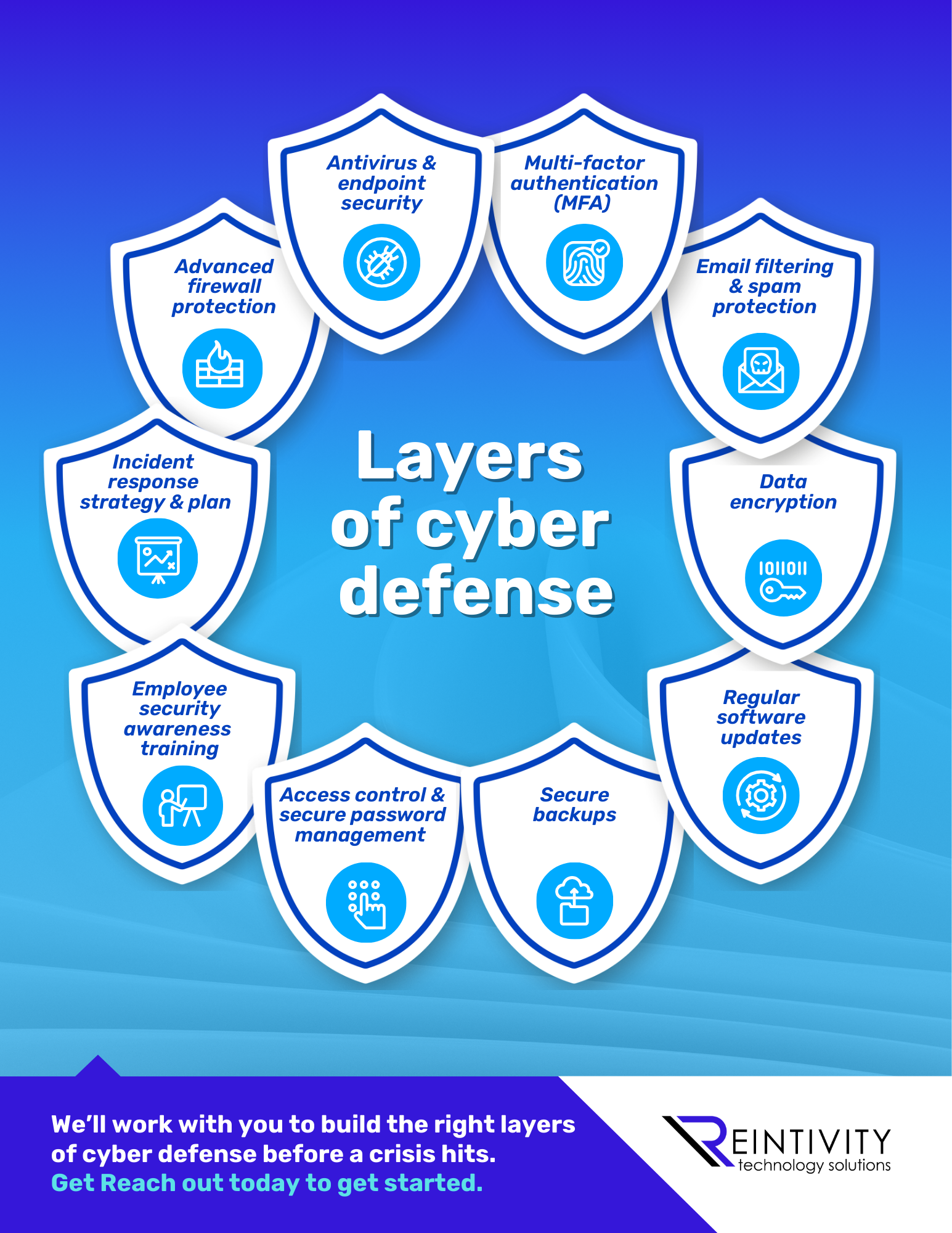
- Turn on multi-factor authentication (MFA) for email and key systems.
- Enforce strong passwords and automatic lockouts after repeated failed attempts.
- Keep your email filtering and security tools updated.
- Establish a “report it, do not hide it” culture.
- Make it easy to escalate suspicious messages.
- Train managers to respond with coaching rather than blame.
- Test and tune.
- Run a simple baseline phishing test.
- Measure how many people click, how many report, and how quickly IT or your partner responds.
- Repeat quarterly and look for improvement—not perfection.
- Tie it to your mission.
Remind your team:- This is not about “catching you doing something wrong.”
- It is about protecting continuity of care, claims processing, and patient trust.
Phishing is not just an IT problem. It is an operational risk that touches every role—from front desk to finance.
Click the image to see full-size version.
Click the image to see full-size version.
Where a Local Managed Services Partner Fits In
For small and midsized healthcare organizations around Chicagoland, the reality is blunt:
You do not have a 20-person cybersecurity team.
You might have one overwhelmed IT generalist. Or you might rely on “that one person who knows computers” plus vendors and luck.
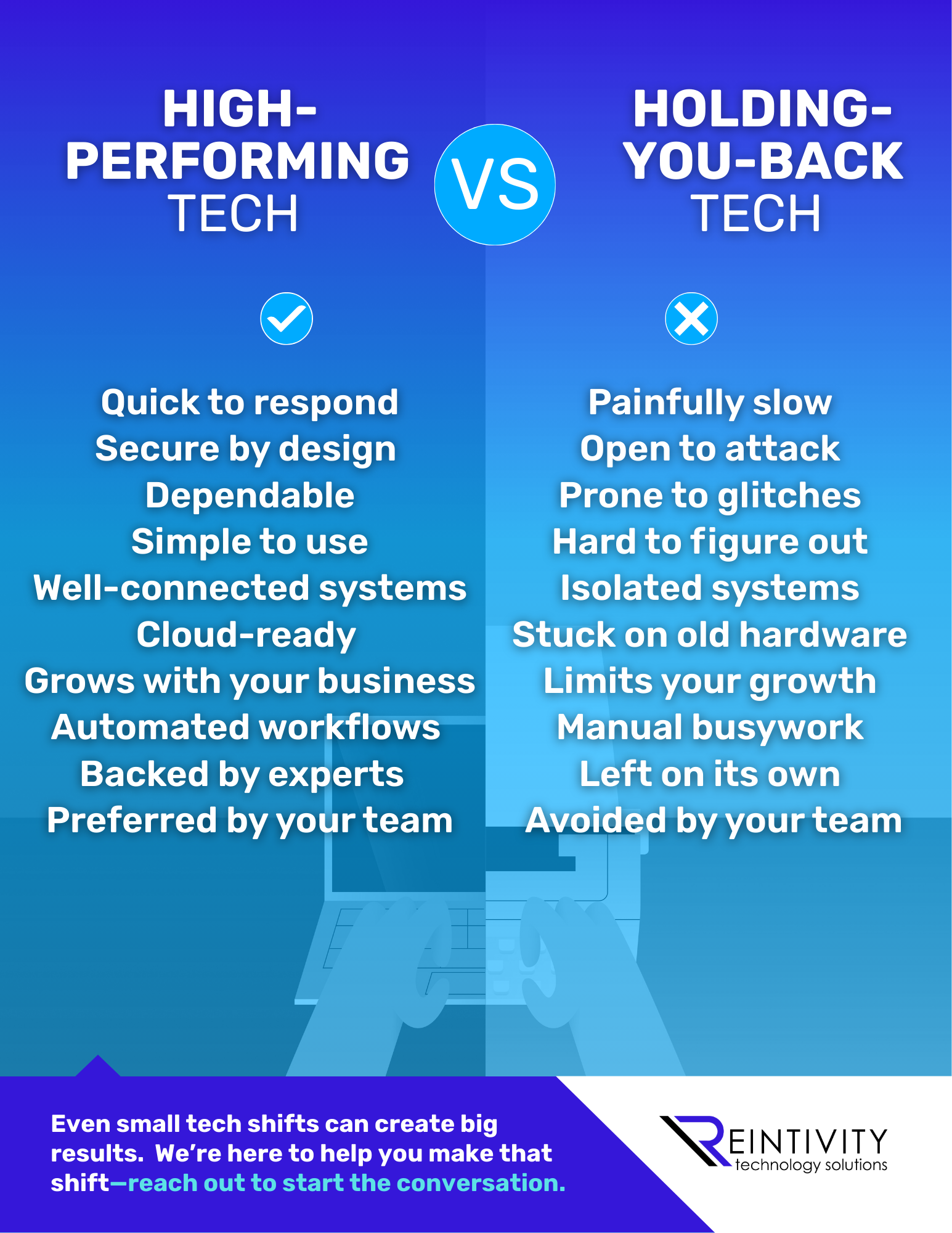
A managed services partner can help you:
- Configure email and cloud platforms securely from day one.
- Roll out practical phishing simulations and micro-trainings tailored to your staff.
- Monitor suspicious login patterns and unusual mail activity.
- Respond quickly if someone does click the wrong link, reducing damage and downtime.
In some clinics, that looks like full outsourced IT. In others, it looks like co-managed support: your in-house person handles day-to-day issues; your partner handles the heavy security lifting.
Either way, you are no longer betting your patient data and revenue cycle on the hope that “no one on our team would ever fall for that.”
Because as every seasoned leader in Chicagoland or the broader region will tell you: it is not about whether someone could click a bad link. It is about how ready you are when they inevitably do.
Your Patients Trust You With Their Stories..
We’re Here to Help You Protect Them..
 Solve your IT Challenges