
Stop Campaign Email From Hurting Business Email.
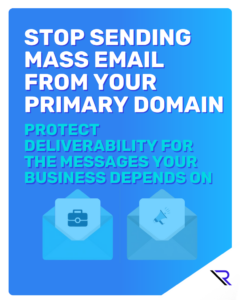
Click the image to view the guide.
When a marketing email lands in spam, it is annoying.
When invoices, support replies, vendor messages, HR notices, and password resets land in spam, it becomes a business problem.
That is why Reintivity discourages sending mass email from your primary domain, meaning the same domain your team uses for everyday communication (like @yourcompany.com). Bulk sending changes how mailbox providers perceive your domain. If something goes wrong, the impact is rarely contained to “just marketing.”
This post explains what is actually at risk, why business email platforms are not ideal bulk engines, and the simple setup Reintivity recommends to protect your primary domain.
What “primary domain” means, in practical terms
Your primary domain is your core identity for email. It is tied to:
- Your staff inboxes
- Your brand and website
- Your business-critical workflows
- The trust that recipients and mailbox providers associate with you
Mailbox providers build a reputation for that domain based on signals such as:
- Hard bounces (invalid or non-existent addresses)
- Spam complaints (“Report spam”)
- Unsubscribes and negative engagement (deletes without reading, low opens)
- Sending patterns (sudden volume spikes, inconsistent cadence)
- Authentication quality (SPF, DKIM, DMARC alignment)
Reputation is not a single score you can look up once and forget. It is a set of learned behaviors applied to your domain over time. Mass email tends to generate more bounces and complaints than normal one-to-one business mail, even when the sender has good intent.
That is the heart of the issue: bulk email carries a different risk profile. Your primary domain should not be the shock absorber.
The hidden cost of mixing bulk email with everyday business mail
Most organizations feel the impact in ways that surprise them. Here are common patterns we see.
1) Inbox placement drops when you need it most
If a bulk send triggers complaints or bounces, mailbox providers may start treating mail from your domain more cautiously. The result can be:
- More messages routed to spam or junk
- More “not delivered” issues that are hard to reproduce
- A slow, uneven recovery even after you stop the campaign
This is where the damage feels unfair. A single bad campaign can affect unrelated mail streams like billing, support, and vendor coordination.
2) Troubleshooting becomes guesswork
When employee mail and bulk campaigns share the same domain identity, isolating the cause is harder. Teams end up asking:
- Is it our content, our list, or our platform?
- Is it our domain authentication?
- Is it a reputation hit from something last month?
- Did someone send a large mail merge from a user mailbox?
Without separation, everything blends together. That wastes time and increases the odds of a rushed fix that creates a new issue.
3) Your brand takes the hit
If your primary domain becomes associated with spam-like behavior, you may see:
- More “are you legit?” replies
- More filtering and caution from recipients
- More friction in new relationships (vendors, clients, partners)
Deliverability is not only technical. It is trust.
Why Microsoft 365 and Google Workspace are not ideal bulk engines
Microsoft 365 and Google Workspace are excellent for business communication. They are not designed to be your primary bulk sending system.
Mass email needs capabilities that standard user mailboxes do not reliably provide at scale, including:
- Automated unsubscribe handling
- Bounce and complaint processing
- Rate control and volume tuning
- Deliverability reporting and diagnostics
- List hygiene workflows and segmentation
- Consistent sending identity management
Yes, you can send to a lot of people from a mailbox. That does not mean it is the best way to do it, and it does not mean it is low risk. When bulk mail is sent through mailbox infrastructure that is meant for human-to-human communication, you lose the controls that keep reputation stable.
Reintivity’s recommendation for external mass email
If you send newsletters, campaigns, donor updates, event pushes, client notices, or other high-volume external communications, Reintivity recommends a three-part setup:
- Use a dedicated bulk email platform
- Send from a dedicated subdomain
- Authenticate it properly (SPF, DKIM, DMARC)
This pattern is simple, repeatable, and designed to protect your core domain while improving delivery outcomes.
Let’s break it down.
Step 1: Use a purpose-built sending platform
A dedicated bulk or transactional email service is built for volume and deliverability. The vendor choice matters less than the capabilities and the operational discipline behind it.
At a minimum, the platform should support:
- List segmentation and suppression (do not email people who should not receive a message)
- Unsubscribe handling that actually works
- Bounce processing and automated cleanup
- Complaint signals and reporting
- Sending rate controls (especially important early on)
- Clear logs and analytics so you can troubleshoot quickly
If your current process is “export a list and blast it,” you are operating without the guardrails that keep reputation healthy.
Step 2: Use a dedicated sending subdomain
Create a subdomain specifically for bulk sending, for example:
news.yourcompany.commail.yourcompany.comupdates.yourcompany.com
Then send campaigns from that subdomain instead of your primary domain.
Why this helps:
- It separates bulk sending from employee mail.
- It reduces the blast radius if a campaign goes sideways.
- It makes it easier to tune and monitor bulk sending without affecting daily communication.
- It supports cleaner separation of responsibilities between Marketing and IT.
Important note: a subdomain is not a magic shield. It does not excuse poor list hygiene or sloppy sending practices. But it is a smart separation pattern that gives you more control and reduces risk to the domain your business relies on every day.
Step 3: Authenticate properly (SPF, DKIM, DMARC)
Authentication is table stakes. Without it, inbox placement becomes unreliable, and spoofing risk increases.
For the sending subdomain, configure:
- SPF: Defines which servers or services are allowed to send on behalf of your domain
- DKIM: Cryptographically signs messages to show integrity and reduce tampering risk
- DMARC: Tells mailbox providers what to do if SPF/DKIM fail, and helps align identity
If you are not sure your DNS and authentication are correct, start with a straightforward Domain Authentication Review. Most “deliverability problems” are actually configuration problems that only show up under volume.
Separate mail streams so problems stay contained
Once you adopt the dedicated subdomain approach, take it one step further and separate your mail streams:
- Employee mail: primary domain (
@yourcompany.com) - Marketing and newsletters: one sending subdomain
- Transactional messages: often a separate subdomain (password resets, receipts, alerts)
Why separate transactional from marketing? Transactional mail often has higher urgency and stronger engagement. Marketing mail usually has more unsubscribes and complaints. Mixing them increases the chance that marketing behavior affects the delivery of transactional messages.
Practical deliverability habits that keep your domain healthy
Separation and authentication are the foundation. These habits keep the structure stable over time.
Warm up volume instead of spiking it
Mailbox providers watch patterns. Sudden jumps in volume can look suspicious even when you are legitimate. If you are moving to a new platform or subdomain:
- Start with smaller sends
- Increase volume gradually
- Prioritize your most engaged recipients first
Keep lists clean, constantly
List hygiene is not busywork. It is deliverability insurance.
- Remove hard bounces quickly
- Avoid purchased lists
- Suppress inactive recipients over time
- Confirm consent and subscription sources
- Use double opt-in where appropriate
Make unsubscribing easy
If recipients cannot easily unsubscribe, they will hit “spam.” That is a direct reputation hit. Your unsubscribe link should be obvious and functional, and your platform should honor it automatically.
Monitor the right signals
Do not wait for a crisis. Watch:
- Bounce rate trends
- Complaint patterns
- Delivery vs spam placement indicators (where available)
- Unsubscribe spikes after specific sends
If something changes suddenly, pause and diagnose before the next send.
“What if we already send from our primary domain?”
You are not alone. Many teams start there because it feels simpler.
If you already send campaigns from your primary domain, here is a sensible transition plan:
- Inventory what you send externally (newsletters, promos, donor mail, client notices, automated alerts)
- Decide what is marketing vs transactional (they should not be treated the same)
- Stand up a sending subdomain for the marketing stream
- Configure SPF, DKIM, DMARC for the subdomain
- Migrate campaigns gradually and monitor results
- Reduce bulk sending from user mailboxes and lock down who can do large sends
This approach improves control without interrupting business operations.
Quick checklist before your next big send
Use this as a final pre-flight check:
- Dedicated bulk email platform is in place
- Sending subdomain exists and is used only for bulk mail
- SPF, DKIM, and DMARC are configured and verified
- Marketing and transactional streams are separated (when possible)
- Unsubscribe handling works and is easy to find
- Lists are cleaned regularly and bounces are removed
- Volume increases are gradual, not sudden spikes
- Someone is accountable for monitoring after each send
Where Reintivity helps
Most issues here are not about writing better subject lines. They are setup and operational issues: DNS, authentication, sending identity, stream separation, and monitoring.
Reintivity can help you:
- Design a clean subdomain and mail stream structure
- Configure SPF, DKIM, and DMARC correctly
- Set up or tune your bulk email platform
- Reduce deliverability risk to your primary domain
- Establish a simple ongoing monitoring rhythm
If you want a second set of eyes before your next mass send, we can review your current setup and recommend the safest path forward so your primary domain stays protected.
 Web & Mobile Apps