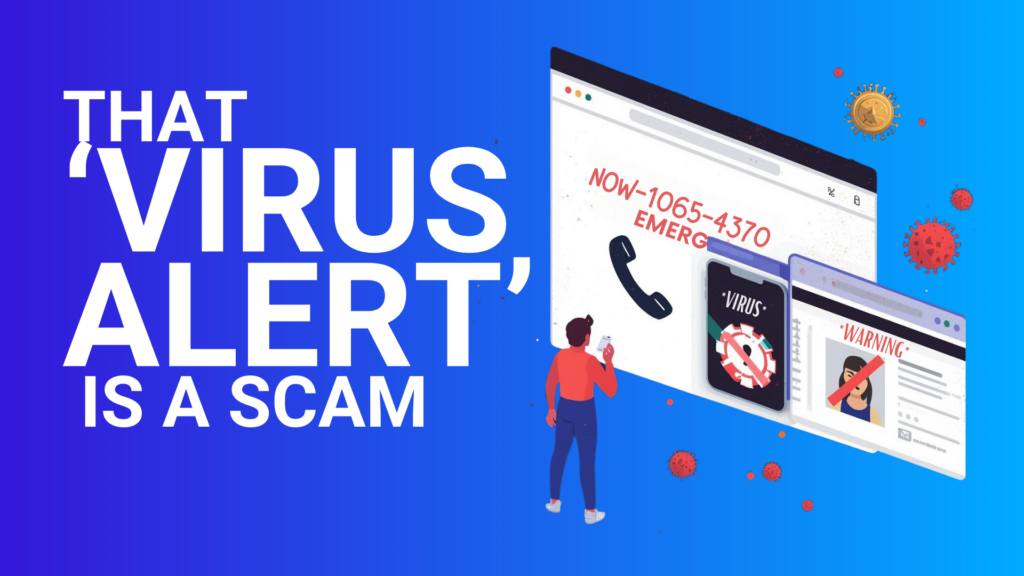
That full-screen “virus alert” isn’t your computer talking.
It’s a webpage trying to steal remote access.
And the failure mode is painfully simple:
One panicked employee + one fake support number = a bad day.
Scareware works because it hits in the moment—when someone’s rushing, distracted, or just trying to make the noise stop.
What scareware actually looks like (so your team can spot it fast)
Most scareware “tech support” scams follow the same playbook:
- Full-screen takeover: The browser suddenly goes full-screen and feels “locked.”
- A phone number to call “support”: Usually branded to look like Microsoft or “Windows Security.”
- Audio + urgency: Beeping, spoken warnings, or loud alerts designed to trigger panic and compliance.
The goal isn’t sophistication. It’s pressure—to get someone to call, install “help” software, or hand over credentials.
What Edge does now (and why it changes the moment)
Microsoft Edge now includes a Scareware Blocker designed to interrupt that exact takeover.
Here’s the operator-level translation:
- On-device detection: Edge uses a local model to recognize the look and behavior of common scareware pages.
- Stops the takeover: When triggered, it exits the full-screen trap and throws a warning—putting the user back in control.
- Privacy-safe by design: Detection is designed to work without uploading your personal screenshots as part of the core protection flow.
This isn’t a silver bullet. But it’s a smart layer in a layered security architecture—one that reduces the odds of a “reflex click” turning into a real incident.
Why it matters for teams (not just individuals)
Scareware isn’t only a personal problem anymore. SMBs—especially in healthcare, education, insurance, government, and nonprofit environments across Greater Chicago—are increasingly targeted because attackers only need one weak link.
This is where Edge’s approach helps:
- Fewer “in the moment” mistakes: When panic is removed, judgment gets better.
- Faster blocking as patterns spread: Reports can help Microsoft block the same scam more broadly via Defender SmartScreen.
- A concrete reason to train reporting behavior: During the preview, Microsoft said each user report protected ~50 other users on average.
That last point is the credibility line that changes behavior: Don’t just close it—report it, because it protects the next person too.
What to do next (make it real, not “we should”)
- Update Edge everywhere. Make sure endpoints are on a current version across managed devices.
- Confirm Scareware Blocker is actually ON. Don’t assume—verify the toggle in Edge Security settings (and enforce it where you can).
- Treat SmartScreen as policy posture. If you want faster blocking and better herd immunity from reports, SmartScreen should be consistently enabled and governed—not left to individual choice.
- Coach the right employee response. A simple script works:
“Don’t call. Don’t click. Report it. Then notify IT.” - Backstop with the basics. Scareware is one entry point—your resilience still depends on:
- endpoint to cloud protection
- vulnerability management
- tested incident response & recovery
- and periodic regulatory security audits (especially where compliance expectations exist)
If you want a fast read on how exposed your environment is to this class of scam—and whether your policies actually match your intent—our team can run a security audit and close the gaps. Reach out.
 Web & Mobile Apps